Martius features

Add an AI Presenter to Your Product Story

Add an AI presenter to business videos. Combine a custom photo avatar and selected voice with real product footage, revise the script and review the finished scenes.

X-Pilot presenter output

See the presenter. Hear the passage.

A still portrait cannot show pacing, pronunciation or movement. Inspect this existing presenter passage, then plan where your product evidence needs to appear.

A moving presenter passage from the X-Pilot collectionVideos play silently when visible. Tap the film or press Space while it is focused to pause or resume. Sound starts only when you enable it.
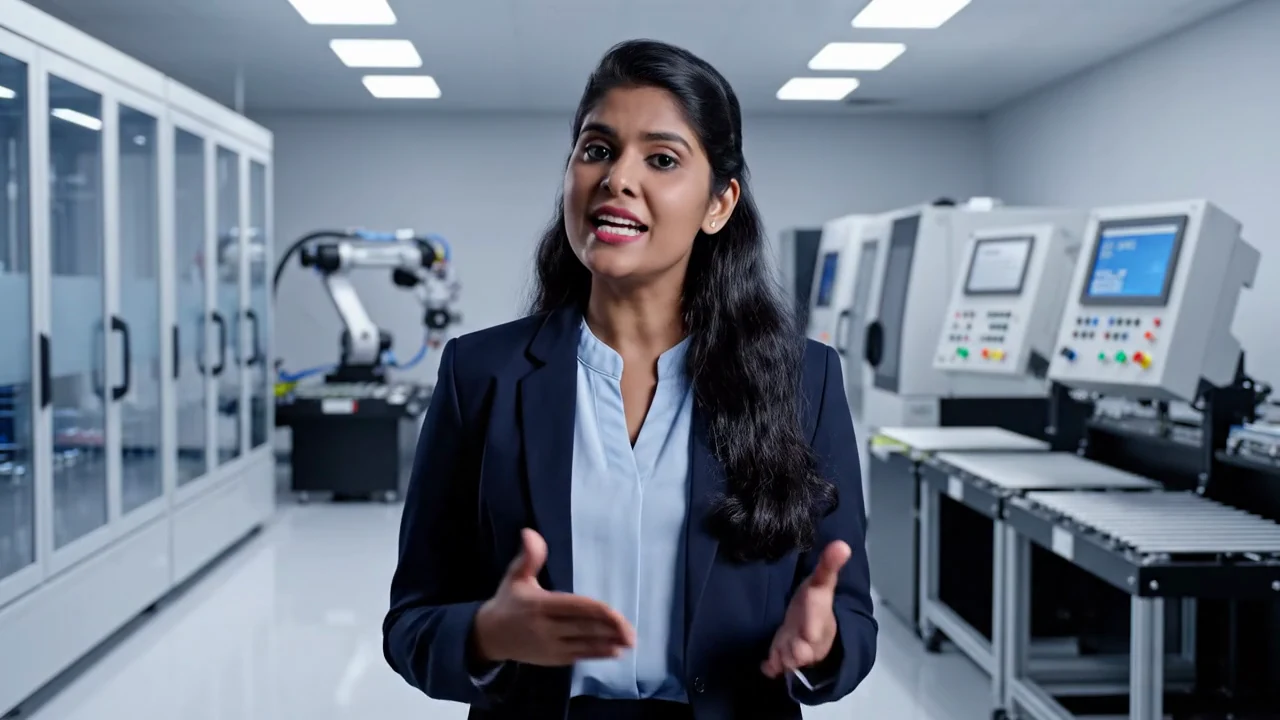
An existing moving, audible presenter example from the X-Pilot collection. The factory setting is part of that source video. It illustrates an on-camera passage, rather than a software walkthrough or a Martius custom-avatar setup recording. About the team
  1. 0:01

    Presenter and setting

    A woman presents on camera in a factory setting.

  2. 0:04

    Listen and inspect

    Enable sound to inspect the existing presenter passage and its picture. Review identity permissions, pronunciation and product composition for your own project.

A presenter inside the complete video

Martius combines an AI avatar presenter with the material that shows your product: real footage, a recorded workflow or a reviewed diagram. Use the person to introduce a launch, guide a demonstration or explain a difficult relationship.

Choose an existing presenter, an authorized custom portrait or user-provided presenter footage through the supported source paths. Keep that source identifiable; a custom character is not automatically a digital replica of a real person.

Choose the person, voice and approved script

Select the presenter and voice, confirm permission for their use and supply the approved lines. Store pronunciation guidance for product names and technical terms alongside the brand context.

Reuse the selected person and voice in later passages or project versions. Change the script and regenerate the affected presenter material without turning the presenter into an isolated asset disconnected from the film.

  • Existing, custom-portrait or supplied-video source
  • Authorized person and selected voice
  • Approved script and pronunciation guidance
  • Reusable presenter reference and applicable scope

Give the product enough room

Use a standalone presenter for an introduction or closing, a corner view while a demonstration remains prominent, or a split view when person and visual need equal space. Adjust when the presenter appears and how much of the frame they occupy.

Keep prices, labels, interface controls and captions readable. Remove the presenter from a shot when the product needs the full frame; a familiar face should help the explanation rather than obscure its evidence.

Revise the message and review the voice

When product wording changes, revise the approved script and inspect the related presenter passage, narration, captions and scene timing. Compare with the parent version so the explanation remains connected to the current product.

Watch and listen to the complete result. Check pronunciation, lip sync, identity, transitions, sound quality and supported language treatment. Permission to use a face or voice does not establish the truth of what the presenter says.

Keep source provenance and data scope explicit

Original portraits, presenter footage, source audio and editable projects remain on your device. Model requests and derived data used by a particular generation path have a separate documented service scope; local source files do not imply fully offline AI.

The moving presenter example on this page comes from the team’s existing X-Pilot collection. Inspect its picture and sound directly. Its source is identified separately from the Martius custom-presenter workflow described here.

Questions, answered

A few things to know.

Can I add an AI avatar to my product video?

Yes. Choose an authorized presenter and selected voice, use an approved script and combine the passage with real product footage, screens or supporting visuals in the editable video project.

Can I use a custom photo avatar?

Yes, through the supported custom-portrait workflow. Keep permission and source provenance with the presenter. A custom character is not automatically a digital twin, and arbitrary movement, voice cloning or live interaction are not implied.

Does the presenter have to fill the screen?

No. Choose standalone, corner or split-view placement and adjust the presenter’s timing and size. Keep the product, important interface details and captions readable.

Can I change the script and keep the presenter?

Yes. Reuse the person and voice reference, revise the approved lines and regenerate the affected passage. Review pronunciation, lip sync, captions and the timing with the current product footage.

Does the avatar workflow keep original portraits local?

Original portraits, presenter footage and source audio remain on your device. The generation path may use separately documented model requests or derived data; this local-file boundary is not a promise of fully offline generation.

What does the presenter video on this page show?

It is an attributed moving, audible presenter example from the X-Pilot collection. It shows an existing presentation passage in a factory setting. It is not a recording of Martius custom-avatar setup or a customer outcome.

Meet Martius

Your next product video starts here.

Bring one product, one message, and the assets you already have.