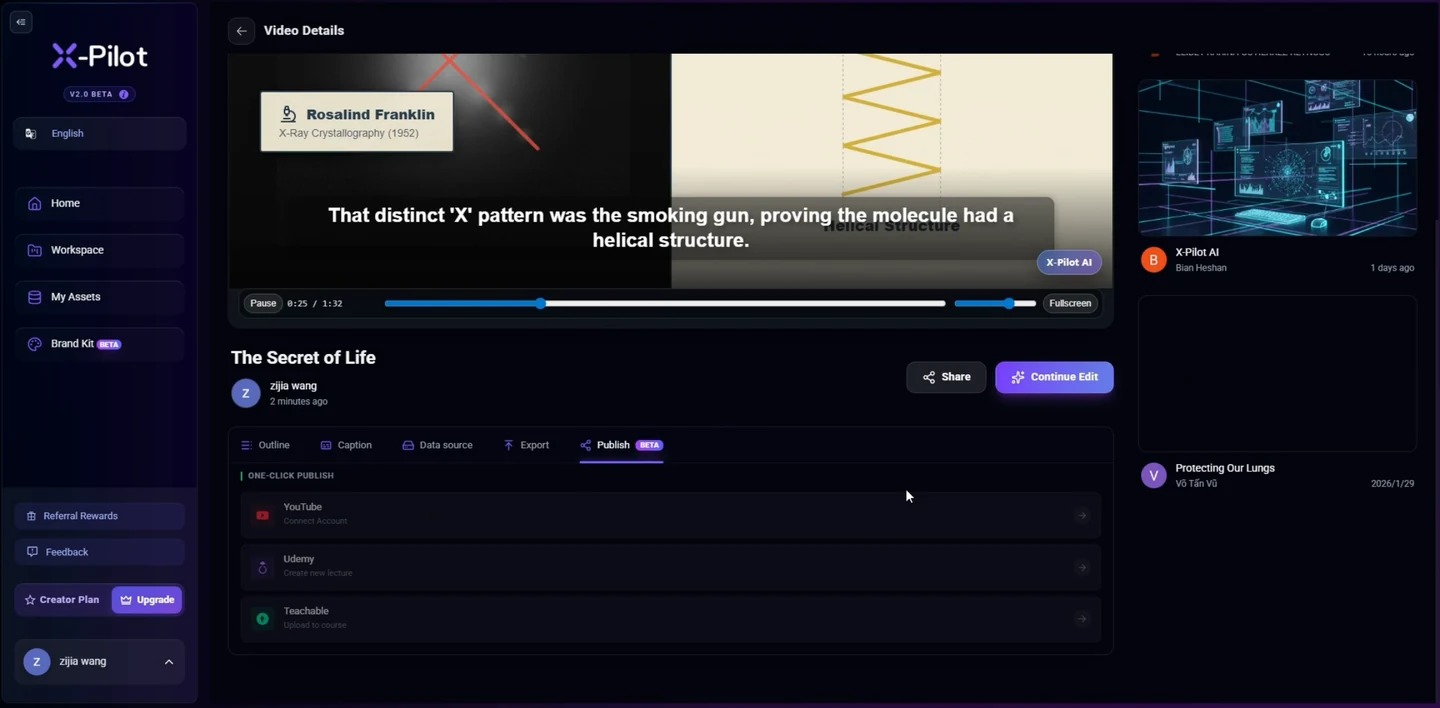
Choose local export or destination delivery
Use Export when you need reviewed files on your device; use Publish when you want to send selected delivery copies to a named supported destination. Martius keeps creation, review, export, approval, confirmation and later revision in the same project.
Choose the destination profile before producing the final version. For an unconnected service, export the video and supporting files for manual handoff. A successful local export does not mean that a remote publication occurred.
Review the action and its data boundary
Keep original documents, photos, raw footage, recordings, portraits, source audio and editable projects local. Finished films and course packages also stay local by default. Approve the exact delivery copies and required metadata sent to the named destination.
Check the destination account, selected files, accompanying text, visibility, timing and learning settings. That approval does not include unrelated folders or source materials. Learning events, authorized destination analytics and derived model-service requests have separate scopes from original-file storage.
Prepare social and marketing delivery
Choose the rendition, cover, captions, title, description and destination URL for the selected channel. Review the account, audience or visibility, disclosures, publishing time and timezone where those options are supported.
A native destination schedule and a locally executed scheduled task are different modes: the latter depends on the relevant client task running. Use the mode available for the connector, inspect the confirmation and review the processed destination version.
For a website handoff, include poster, captions, transcript, contextual copy and matching video metadata. The destination must actually provide the crawlable watch page and visible information; generating the bundle does not guarantee search rankings or AI citation.
Deliver ad assets without silently activating campaigns
Select the account, market and placement, then check the current destination profile for dimensions, duration, codec, audio, captions and safe areas. Keep the approved offer, eligibility, dates, product claims, call to action, landing page and tracking parameters with the reviewed variant.
Local export, asset upload, ad-draft creation, platform review and campaign activation are separate operations. Use the supported action for the connector. Starting delivery or changing budget, targeting or spending requires a separate explicit approval.
A creative review does not establish compliance in every market or guarantee platform acceptance. Confirm rights and disclosures with the responsible team and inspect the destination result after processing.
Read the destination’s operation scope
Connector operations are scoped individually: upload, post creation, covers, captions, visibility, scheduling, status reading and removal are not automatically interchangeable. Use the operation list and account authorization exposed by the selected destination.
Platform permissions and production access apply to the actual connected account. If a requested action is unsupported or authorization expires, keep the local delivery and resolve the required access rather than reporting a remote success.
Remote replacement also varies. A service may require a new video, post, URL or course version. Retain the older publication record and review the effect on existing links or learner history before authorizing a new action.
SCORM: package a lesson for an LMS
Choose the supported SCORM 1.2 or SCORM 2004 profile that matches the target LMS. The delivery includes the learner-facing player, media, an imsmanifest.xml at the root, referenced resources and runtime communication with the LMS. An MP4 renamed or placed in a ZIP is not sufficient.
Set completion, resume behavior, session-time reporting and any actual assessment or interaction used by the lesson. SCORM 1.2 uses a combined lesson status; SCORM 2004 separates completion and success. Use the data model and mapping provided by the selected profile.
Confirm package import and launch in the target system, then check initialization, progress save, close, reopen and the LMS report. Reaching the end, watching a defined proportion and passing a task are different completion criteria; choose the one the lesson actually requires.
xAPI: deliver an activity with learning events
Select the supported xAPI version, event profile and authorized learning record store. xAPI statements describe an actor, a verb and an object with relevant context and result data; they are learning records rather than a video codec or a complete LMS package.
Configure the activity identity, course revision, registration, event meanings and authorized LRS connection. Use the supported credential flow; do not embed a reusable administrative LRS credential in a course distributed to learners.
Confirm event submission and the expected completion or result in the target LRS. Handle rejected events, reconnection and retries without creating duplicate records. A playback event provides evidence of a defined viewing activity, not automatic skill mastery.
cmi5: launch an xAPI activity from an LMS
Choose the supported cmi5 profile when the requirement is an LMS-launched activity with xAPI records. The delivery uses course structure, assignable units and the specified launch, authorization, session and reporting behavior, with cmi5.xml and resources or hosted references as applicable.
Select the cmi5, xAPI and target LMS/LRS profiles together. The cmi5 Quartz specification refers to xAPI 1.0.3; that does not establish automatic compatibility with xAPI 2.0 or every learning system.
Confirm course import, launch authorization, activity and session identity, initialization, termination and the selected completion or success behavior. Standalone xAPI tracking and LMS-launched cmi5 are different delivery choices.
Confirm the remote result before retrying
The publication record connects the project revision and delivery checksums to the target account, files, approval, remote identifiers, status and confirmed time. Preparing, uploading, processing, awaiting review, scheduled, live, rejected and failed states remain distinct where the service exposes them.
If the outcome is uncertain, inspect the destination before another post. Canceling a local task does not prove that a remote asset was removed. Reconcile the confirmed state and show the action still needing attention.
Revise a published video or learning activity
Update the local project, review the new film or lesson and create the next delivery. Inspect each affected destination and choose the supported replacement or new upload; a changed source does not silently authorize a remote action.
Keep old learner and publication records attributable to the revision that produced them. A course update must preserve the distinction between activity completion, assessment success and competence, while a commercial update must retain the correct offer and approved destination.
Destination metrics may inform another brief when authorized and available, but publication records do not guarantee attribution, advertising improvement, learning effectiveness or certification.
Questions about this workflow
Can Martius publish videos to connected platforms?
Yes. Prepare the destination-specific output and accompanying material, review the selected account and action, then approve the delivery. Martius records the destination’s confirmed result. Upload, scheduling, post creation and replacement depend on the selected connector’s supported operations.
How does publishing fit with keeping files local?
Original documents, raw footage, recordings, portraits, source audio and editable projects remain on your device. Finished outputs stay local by default. Publishing sends only the selected delivery copies and necessary metadata to the destination you explicitly approve; it does not move your source library into a cloud workspace.
Does publishing an ad video start paid advertising?
No. Preparing a file, uploading an asset, creating an ad draft and activating a campaign are separate actions. Any supported operation that starts delivery or changes budget, targeting or spending needs its own explicit approval.
Is SCORM or xAPI another video file format?
No. SCORM packages learning content and provides communication with an LMS. xAPI defines learning-event data and communication with a learning record store, or LRS. Martius delivers through the selected supported learning profile; an MP4 alone does not implement course runtime or learning records.
Where does cmi5 fit?
cmi5 provides course structure, launch, authorization, session and reporting rules for using xAPI with an LMS. Select the supported cmi5 profile and target LMS/LRS together. Its Quartz specification refers to xAPI 1.0.3; a cmi5 label is not a claim of automatic compatibility with every xAPI version.
What happens when a published video needs an update?
The project links published outputs to their approved local revisions. Create and review the new version, inspect the affected destinations and approve the supported replacement or new upload. Some services need a new asset, post or URL; a local revision does not silently change every remote copy.
What if an upload is interrupted or its result is uncertain?
Keep the delivery state and inspect the destination before retrying. Martius distinguishes incomplete work, remote processing and confirmed delivery so an uncertain outcome can be reconciled rather than automatically creating a duplicate post.